Hair salon website: price list, bookings, photos
It's ten at night and a new client messages you: “How much is balayage for long hair, and are you free on Saturday?” A good website answers questions like that for you. Here's how to set up your price list, booking and photos so you get the right clients and fewer messages.
The first screen: who you are and how to book
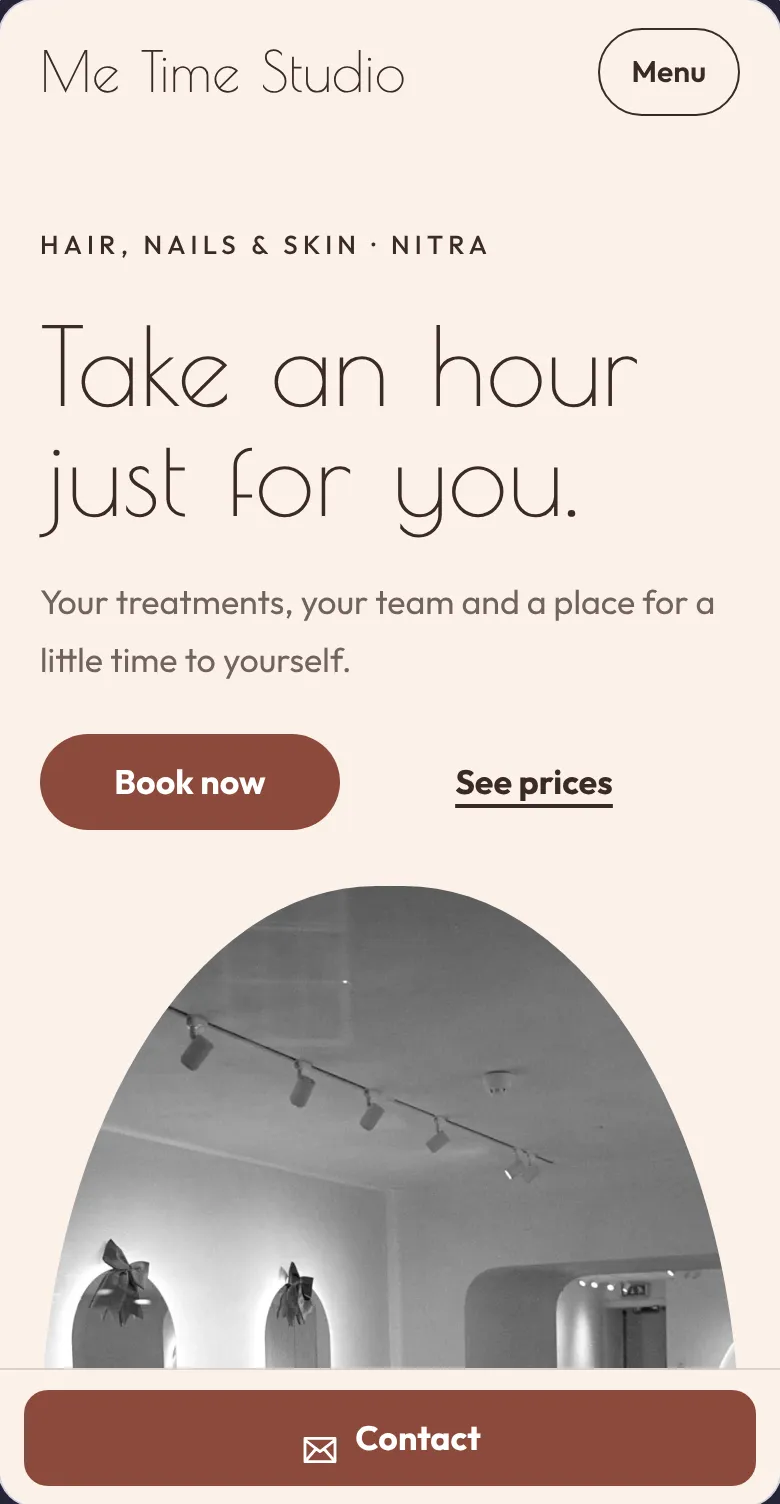
On a phone, the first screen should make clear:
- the name of your salon, or your own name,
- what you love doing most, like “color and cuts for curly hair,”
- where to find you,
- a Book now button.
That's all it needs. Anyone who wants photos and prices will scroll down.
A price list with no surprises
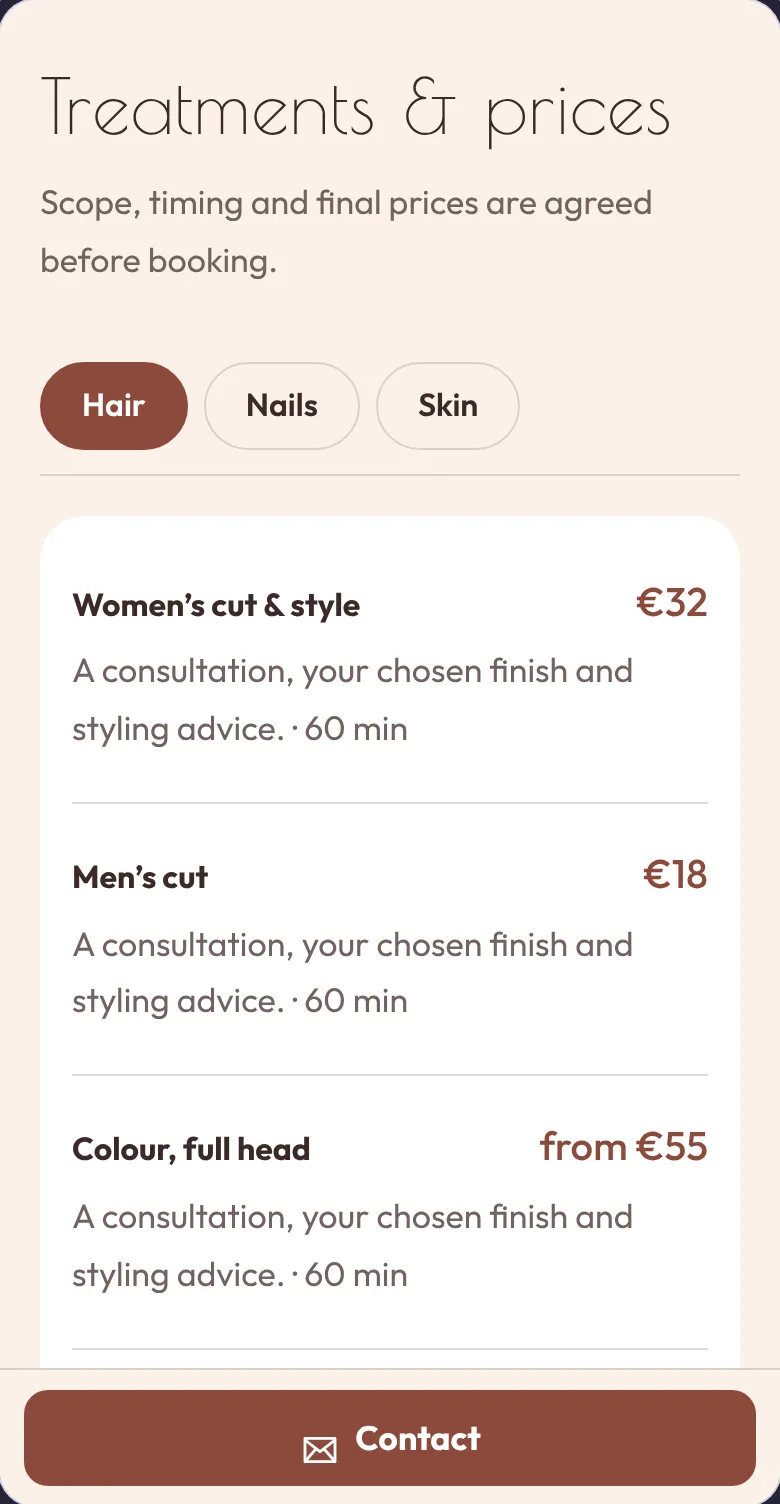
The price list is the reason most people open your site. To make it work:
- Group it. Women, men, kids, color, special services.
- Give each service a price and a time. Clients need to know whether it fits into a lunch break.
- Explain “from” prices. Say what affects the final price: hair length and thickness, amount of color, whether a consultation is needed.
- Keep it in sync with the salon. When your prices change, update the site too.
Example lines from a price list:
Women's cut, wash and blow-dry – 60 min – from €35
Balayage including cut – 3 to 4 hrs – from €140 (depending on hair length)
Kids' cut, under 10 – 30 min – €18
Booking without endless messages
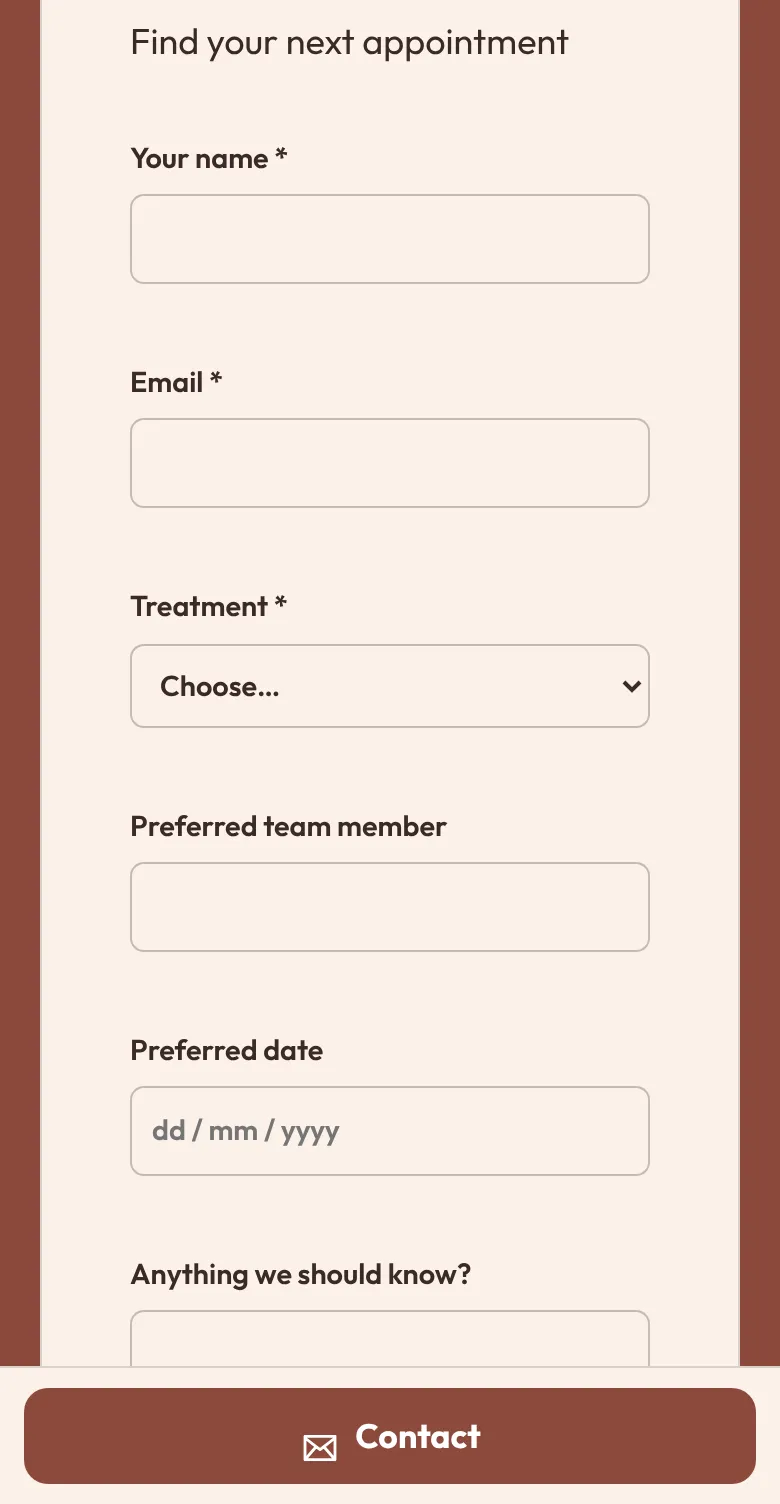
Pick a method you can keep up with on a busy day:
- Phone, text or WhatsApp. Say when you reply, like “I answer messages every day at 12:00 and 18:00.” Clients won't sit around waiting nervously.
- A booking request form. The client picks a service and says when they're free. You confirm the exact time.
- A booking system with a calendar. Clients see free slots and book themselves. Many systems also send a reminder the day before.
Whichever you choose, state your cancellation policy, for example: “If you can't make it, please let me know at least 24 hours ahead.” For long services you may want a deposit, so say so next to the price. If your form or system collects personal data, add a short note: who you are, why you need the data and how long you keep it, with a link to the details. If you use a booking system from another company, make sure you have a data processing agreement with them. In the EU this is a GDPR requirement; elsewhere, check your local privacy rules.
Photos of your work
In hairdressing, photos sell more than words. But they have to be yours, and you need permission.
- Your own work, not photos from the internet. Hairstyles you didn't create would mislead clients.
- Client consent. Before taking a photo, ask whether you can use it on your site and on Instagram, and keep a record of their answer.
- Same light and angle. For before-and-after shots, stand in the same spot, ideally by a window with a neutral background.
- Variety. Short and long hair, color and cuts, so every client can picture themselves.
If you'd rather not show faces, shoot from behind or from the side. For hairstyles, that works perfectly well.
Who you are and where to find you
Clients choose a hairdresser partly on whether they click with them. Write a few lines about yourself: what you specialize in, what training you've done, which products you use. A photo of you at work beats a studio portrait.
Next to your address, add the details a new client won't know: which floor you're on, which doorbell to ring, where to park. To make sure people find you on the map too, see how to get your business on Google Maps.
Your website and Instagram, together
Instagram is great for showing your work, but prices and booking are hard to find there. Put your website link in your Instagram profile, and link to Instagram from your site. Clients browse photos in one place and book in the other.
Add your town and your specialty to your Instagram bio too, so clients nearby can find you there as well.
What it must have
- A Book now button on the first screen
- A price list with the time for each service
- An explanation of “from” prices
- A cancellation policy
- Photos of your own work, with client consent
- Your address, plus details on how to find you
- A link to Instagram
FAQ
Do I need online booking?
No. If phone calls and messages work for you, just say clearly when you reply. Online booking pays off when messages keep pulling you away from clients or people often forget their appointments.
How do I list prices that depend on hair length?
Use a “from” price and add one sentence on what the final price depends on. For pricier services, offer a short consultation or an estimate based on a photo.
Can I put photos of clients on my website?
Yes, if they agree. Ask first, keep a record of their consent, and delete the photo if they ask you to.
Give it a try
A good salon website saves you a lot of messages and brings in clients who know what to expect. In Klikuno you pick a hair salon look, add your price list, and let Ask help with the words.
Ready when you are
Your corner of the internet is waiting.
Free while in early access
